It’s like having an incredibly fast, skilled, and thorough engineer sitting next to you — one that really allows your creativity to flow without borders. You say “what if we…” and 30 seconds later you’re looking at a working prototype. You go “no, more like this” and it’s done before you finish explaining why.
That’s what working with Claude Code felt like over the past two days. I completely revamped this blog — translated all 69 posts to Italian, redesigned the layout from the ground up, added a nerdy boot sequence easter egg, cleaned up years of tag cruft, and iterated through dozens of design decisions. All of it tracked in git, all of it reviewable, all of it live.
Every single commit is public. If you want to see the raw process — the brainstorming, the iterations, the bugfixes, the back-and-forth — it’s all in the repo: github.com/vjt/sindro.me (and the theme fork: github.com/vjt/hugo-sindrome-theme). I’m not ashamed of showing how the sausage is made. If anything, I hope someone finds it useful as a learning resource for what AI-assisted development actually looks like in practice — warts and all.
Here’s my GitHub contribution graph to prove I’m not exaggerating:
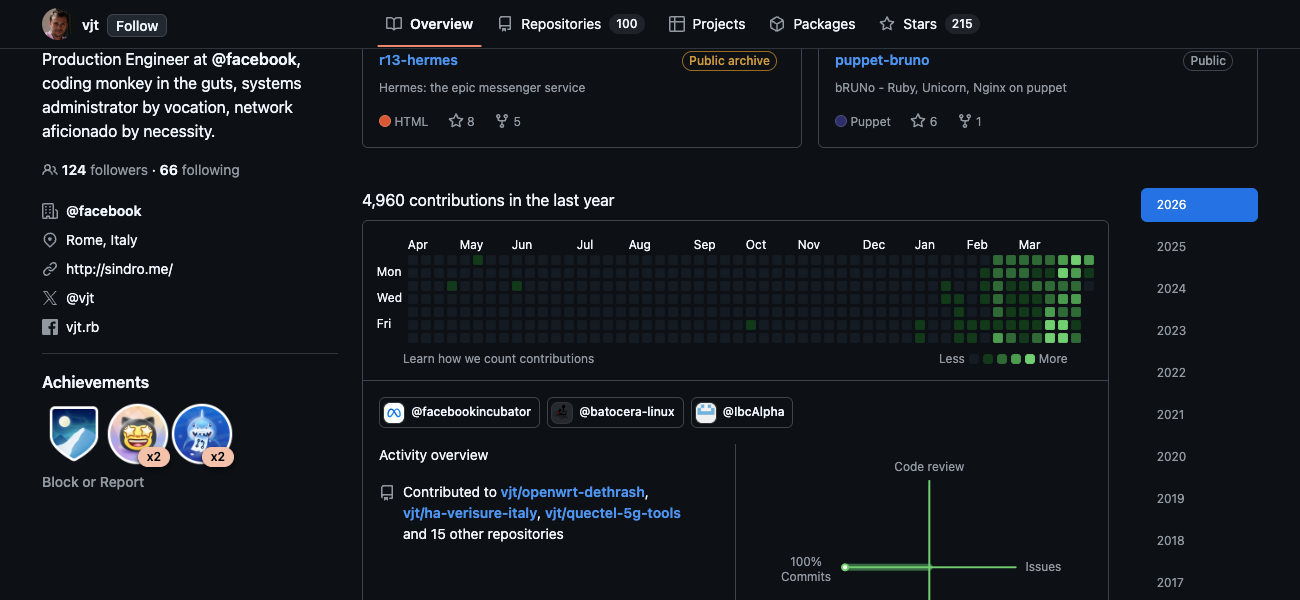
That green wall is 40 days of working with Claude across a bunch of projects — home automation integrations, OpenWrt networking tools, WiFi presence detection, 5G modem tooling, and this blog redesign. The last two days alone account for a ridiculous chunk of it.
The starting point
This blog has been around since 2007, but the Hugo version dates back to 2023 when I migrated from WordPress. It ran the Poison theme (now Sindrome) — a fork of Hyde/Poole — with a dark sidebar, English only, and a layout that screamed “2015 called, they want their CSS back.”
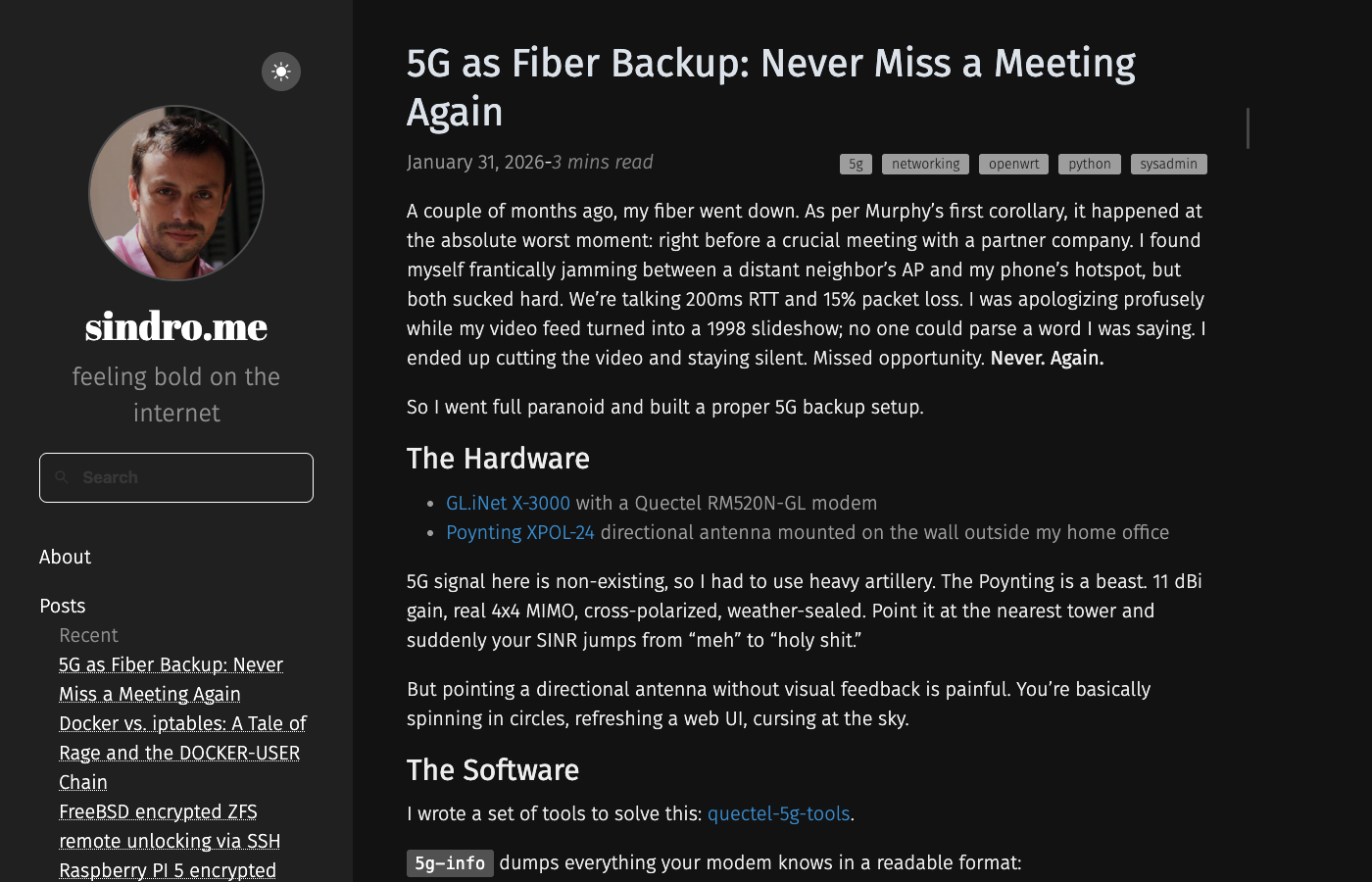
It worked. But it felt dated. The sidebar was too wide on mobile, the content area too narrow on desktop, and the whole thing was English-only despite me being Italian and having an audience in both languages.
Phase 1: Going bilingual
The first big push was translating all 69 posts from English to Italian. This involved:
- Setting up Hugo’s multilingual infrastructure (
config.tomlwith[languages.en]and[languages.it]blocks) - Renaming every content file from
post.mdtopost.en.mdand creatingpost.it.mdcounterparts - Adding
i18n/en.yamlandi18n/it.yamlfor UI strings - Building a language switcher with flag emoji buttons
- Configuring nginx to detect
Accept-Languageheaders and redirect accordingly
Claude handled the translations with good quality — not perfect, but solid enough for a technical blog where most of the jargon stays in English anyway. The conversational tone in Italian uses informal “tu”, which matches my writing style.
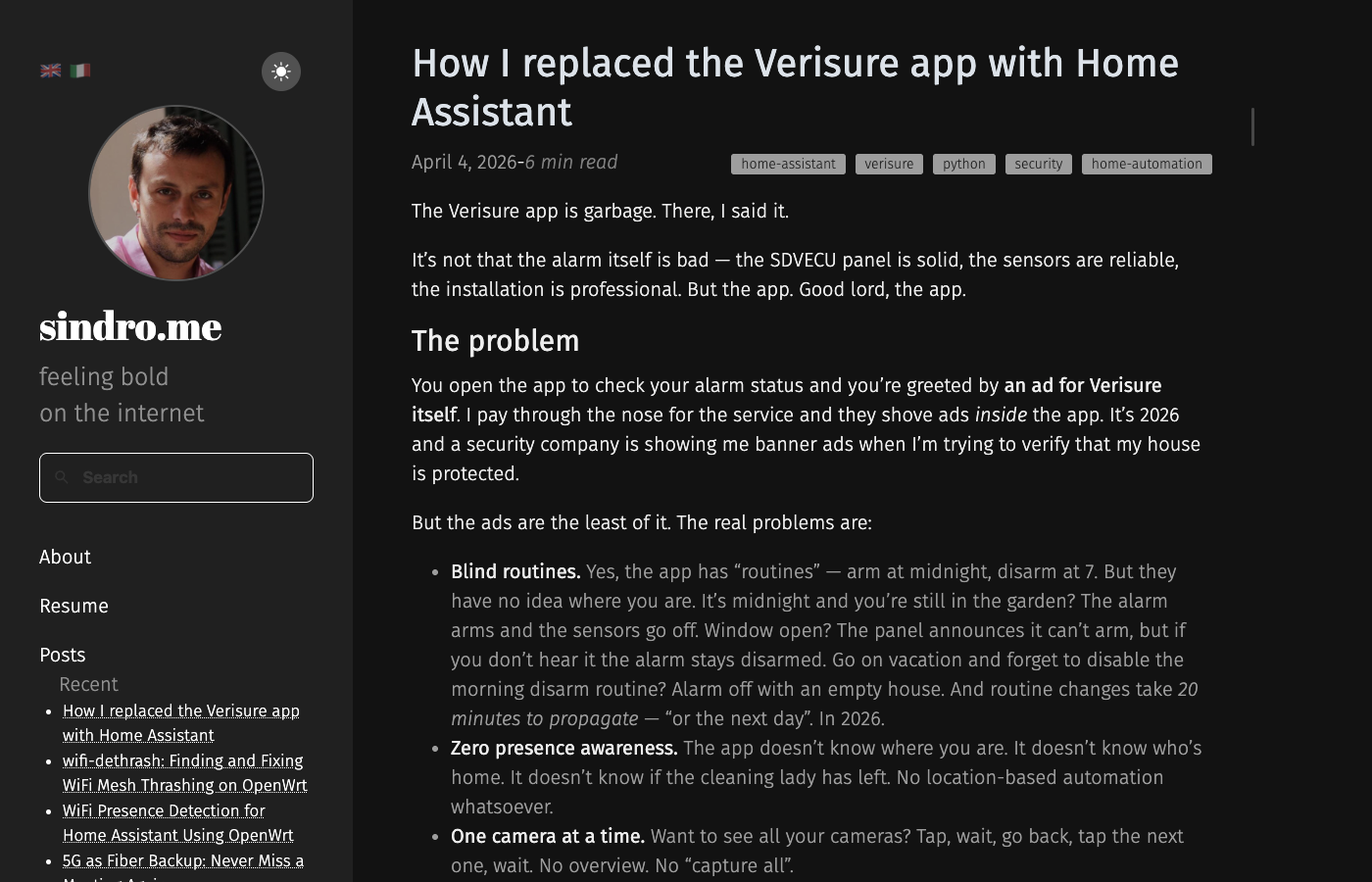
Notice the flag switcher in the sidebar’s top-left corner. Same dark layout, but now the whole site works in both languages.
Phase 2: The layout redesign
This is where it got fun. I wanted something modern, functional, and less wasteful of screen space. The process went like this:
Brainstorming with a visual companion
Claude Code has a plugin system called Superpowers that includes a brainstorming skill with a visual companion — a local web server that renders mockups in your browser while you discuss design options in the terminal.
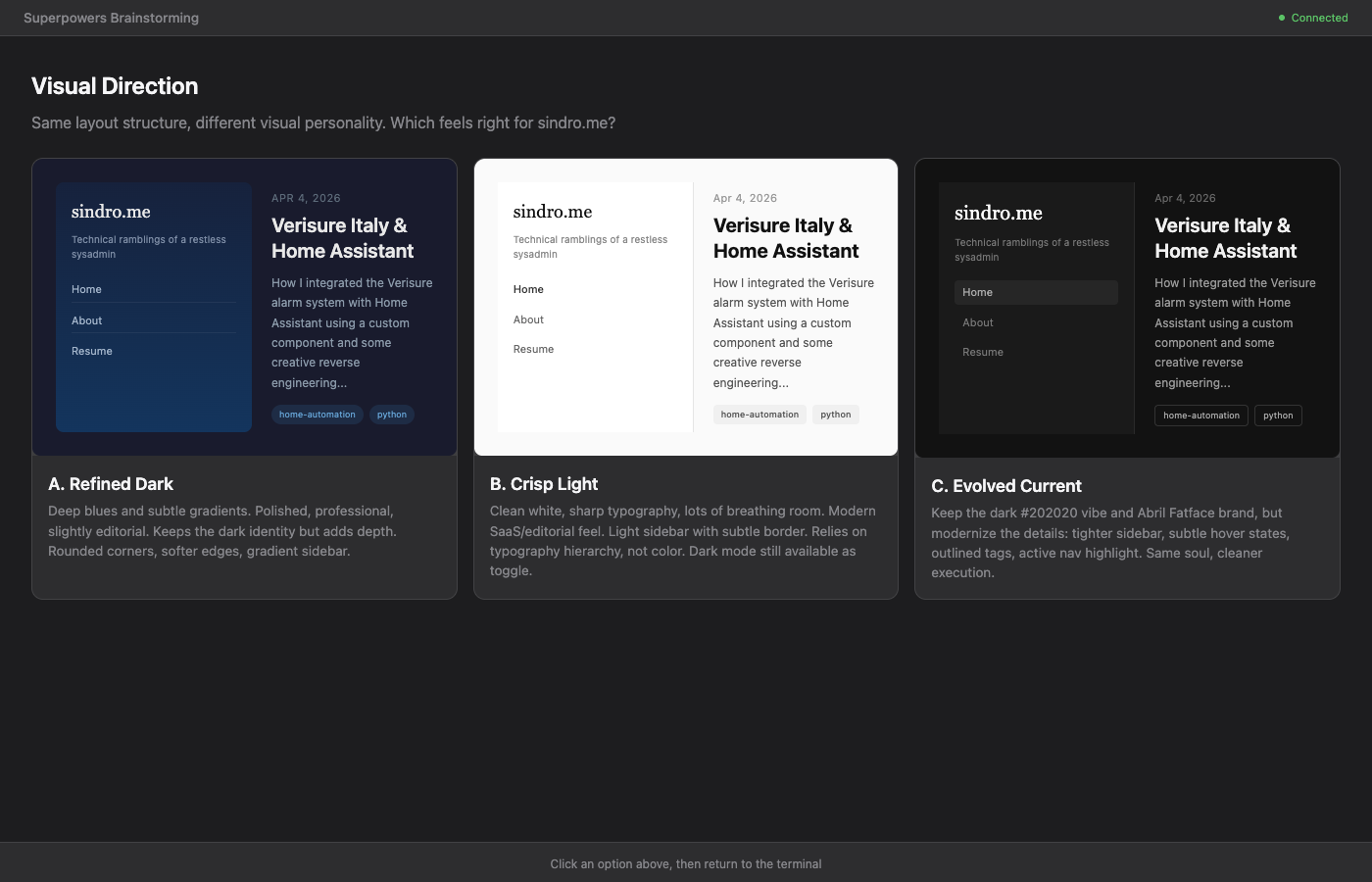
This is where it gets meta: Claude runs on a Raspberry Pi 5 (my home server), but the browser runs on my laptop. The connection is an SSH reverse tunnel:
# On my laptop — tunnel Chrome's debug port to the Pi
ssh -R 9222:localhost:9222 vjt@nowhere
Claude uses the Chrome DevTools MCP (Model Context Protocol) to drive the browser remotely — navigating pages, taking screenshots, inspecting elements, evaluating JavaScript. It can literally see what the site looks like and debug CSS issues by reading the computed styles.
The brainstorming process itself was collaborative:
- I said “I want it more modern, more functional, less wasted space”
- Claude showed me three visual directions in the browser — I picked “Crisp Light”
- We went through layout options — I chose CSS Grid with hamburger below 1200px
- Each design section was presented and approved before moving on
- A formal spec was written and committed to git
From spec to implementation
The implementation plan had 12 tasks. Claude dispatched parallel subagents — each one got a specific task (write layout.css, write components.css, create the header partial, etc.), implemented it, committed, and reported back. A spec reviewer checked each task against the design, then a code quality reviewer checked the implementation.
The key changes:
- CSS Grid replaced the old Hyde/Poole flexbox layout
- Three-column desktop: sidebar (220px) | content (fluid) | table of contents (200px)
- Hamburger menu below 1200px with slide-out sidebar
- Light-first design with system-aware dark mode (
prefers-color-scheme) - No-FOUC script — an inline
<script>in<head>applies the dark theme before first paint - Content max-width widened from 44rem to 52rem
- Tags restyled as pill badges
- Post navigation as bordered cards
- Newspaper-style post headers
The iteration loop
What really made this work was the speed of iteration. The loop looked like this:
- I’d point out an issue (“the categories are plain text, not pills”)
- Claude would fix the CSS, commit to the theme submodule, push to GitHub
- Then SSH to the build server, pull, build, and deploy to staging
- I’d check the result on my phone/laptop
- Repeat
Each cycle took about 60 seconds. In two hours we went through dozens of visual tweaks — contrast fixes, font sizes, spacing adjustments, float vs. flex debates, TOC positioning. The kind of polish that normally takes days of back-and-forth.
The result
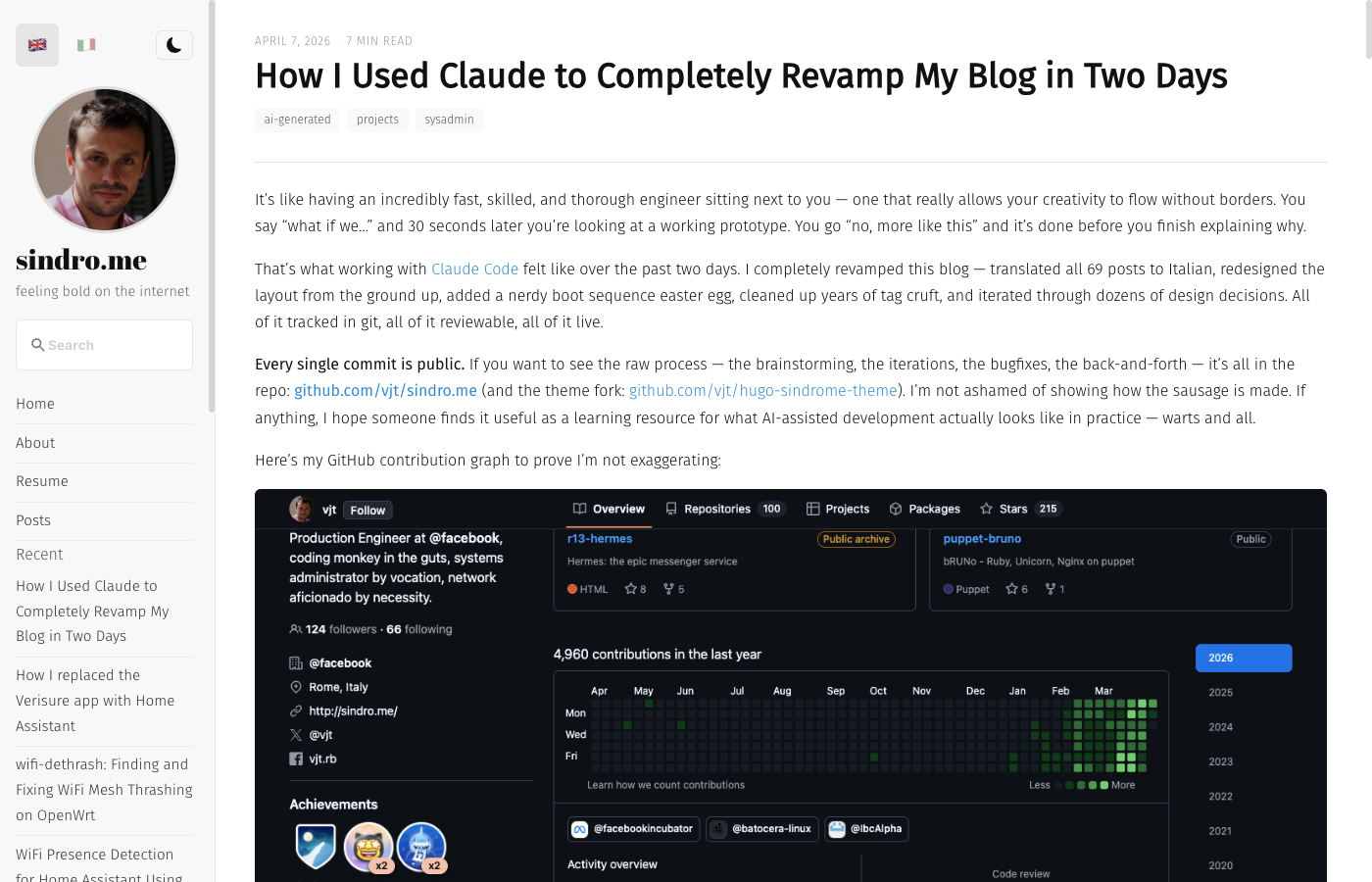
Clean. Light-first with system dark mode. Three-column on desktop, hamburger on tablet/phone. The content actually has room to breathe, code blocks don’t need horizontal scrolling, and the TOC sits where you’d expect it.
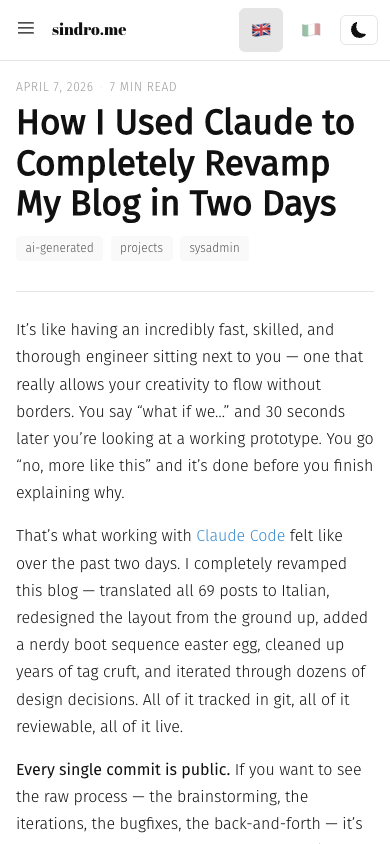
On mobile: compact header with brand + language switcher, collapsible TOC, and the sidebar slides out when you tap the hamburger. No more scrolling past a giant sidebar to reach the content.
The easter egg
Because what’s a sysadmin’s blog without a nerdy easter egg? On your first visit, you get a Linux kernel boot sequence:
[    0.000000] Linux version 6.12.75+rpt-rpi-2712 (vjt@openssl.it) (gcc 12.2.0)
[    0.031201] CPU: ARMv8 Cortex-A76 [410fd083] revision 3 (ARMv8), cr=30c5383d
[    0.068442] Machine model: Raspberry Pi 5 Model B Rev 1.0
...
[    0.831002] hugo[1337]: Total in 91 ms
[    0.900000] init: blog ready. feeling bold on the internet.
It plays for 3 seconds, then fades to reveal the actual blog. Uses sessionStorage so it only plays once per browser session — no battery drain, no annoyance on return visits. Just a one-time “welcome to my world” moment.
The tag cleanup
While we were at it, we went through all tags across the blog. From ~130 tags (many with a single post) down to 33 clean ones. Merged duplicates (bsd/freebsd/openbsd → freebsd), removed junk (wallpaper, skating, siamese), and added new meaningful ones (iot, reverse-engineering, ai-generated).
The setup
For the curious, here’s how the whole thing works:
- Claude Code runs on a Raspberry Pi 5 (
nowhere) via SSH - Chrome runs on my MacBook with remote debugging enabled (
--remote-debugging-port=9222) - An SSH reverse tunnel (
ssh -R 9222:localhost:9222) lets Claude on the Pi talk to Chrome on my laptop - Claude uses the Chrome DevTools MCP to navigate, screenshot, inspect, and evaluate scripts in the browser
- The blog builds on a FreeBSD server (
m42) — Claude SSHes there to pull, build, and deploy - Staging at
vjt.sindro.me, prod atsindro.me— both justgit pull && ./build.sh
It’s a beautifully ridiculous Rube Goldberg machine of SSH tunnels, MCP protocols, and git submodules. But it works, and it works fast.
What I learned
AI-assisted development isn’t about the AI writing code for you. It’s about having an incredibly capable pair programmer who never gets tired, never loses context (well, mostly), and can execute at a speed that lets you focus entirely on what you want rather than how to get there.
The constant iteration cycle — propose, brainstorm, POC, full implementation, review, bugfix — felt natural. Like having a conversation that happens to produce working software. My creativity was the bottleneck, not the execution.
Two days. 69 translations. Complete layout redesign. Boot sequence easter egg. Tag cleanup. This blog post. And Claude even took its own screenshots for the post you’re reading.
Feeling bold on the internet, indeed.